• I have decided to upgrade my Google Nexus 7 (2012) to the new version (2013) that was released at the end of July 2013.  Here is a link to my previous review of the 2012 version.
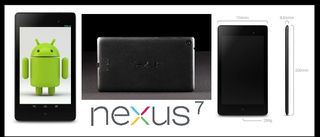
    Nexus_7_2013_Blog_Post_Diagram

    The main reasons I think this new version (2013) in the base model configuration (WIFI only with 16-GBs)  is a big improvement over the last base model version (2012):

    • Form factor: the width is less so it is easier to hold in one hand
    • Upgraded internal specs (processor, sensors, etc)
    • Front and back facing cameras
    • Improved speakers
    • Improved screen
    • Also comes with Android v4.3 (the 2012 edition is also supported)

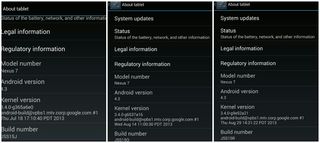
    That being said, one of the reasons that it took me more than six weeks (I'm writing this on 9/2/2013) to feel comfortable recommending this version was that the GPS interface had a bad hardware bug that made it pretty much useless for navigation.  Since this is a critical feature for me I wanted to make sure there was a fix (released late in August) that addressed the problem. The fixes to v4.3 list below from Google did solve my issues.  These fixes were also suppose to fix some touch screen issues but I never had those.
    2013-11-24 22.07.05

    One of the reasons that I decided to not get the 1st generation of the Apple iPad Mini (released in November 2012) and try out the Google Nexus 7 (2012) was mostly: form factor (pretty wide to hold in one hand), cost ($299), no integrated GPS on the WIFI model, and non-Retina display. Plus I was able to get my Nexus 7 (2012) for $150 used via Craigslist (see review).

    The one thing that I'm still not 100% happy about is that the camera on the back for "standard pictures" (5-MB) is not that great except in ideal lighting situations.  But that is pretty much my only complaint.

    So, with all things considered, I do recommend the Google Nexus 7 (2013) tablet if you are in the market for a 7" tablet.  I use it everyday effectively for: email; personal productivity; social media; consuming media (news, podcasts, blogs, RSS, video, etc); navigation; games; and tracking stuff (notes, references, health, etc). 

    UPDATE (11/24/2013): Now that there is a 2nd generation Apple iPad Mini with Retina display I did consider purchasing it, but decided that since I use the GPS everyday for navigation that I'm staying with the Google Nexus 7 (2013).  Plus the price difference is something to consider.  There are rumors that the 2013 edition will get a new list price of $199 which will mean there is a $100 price difference.
    + , , , , , ,
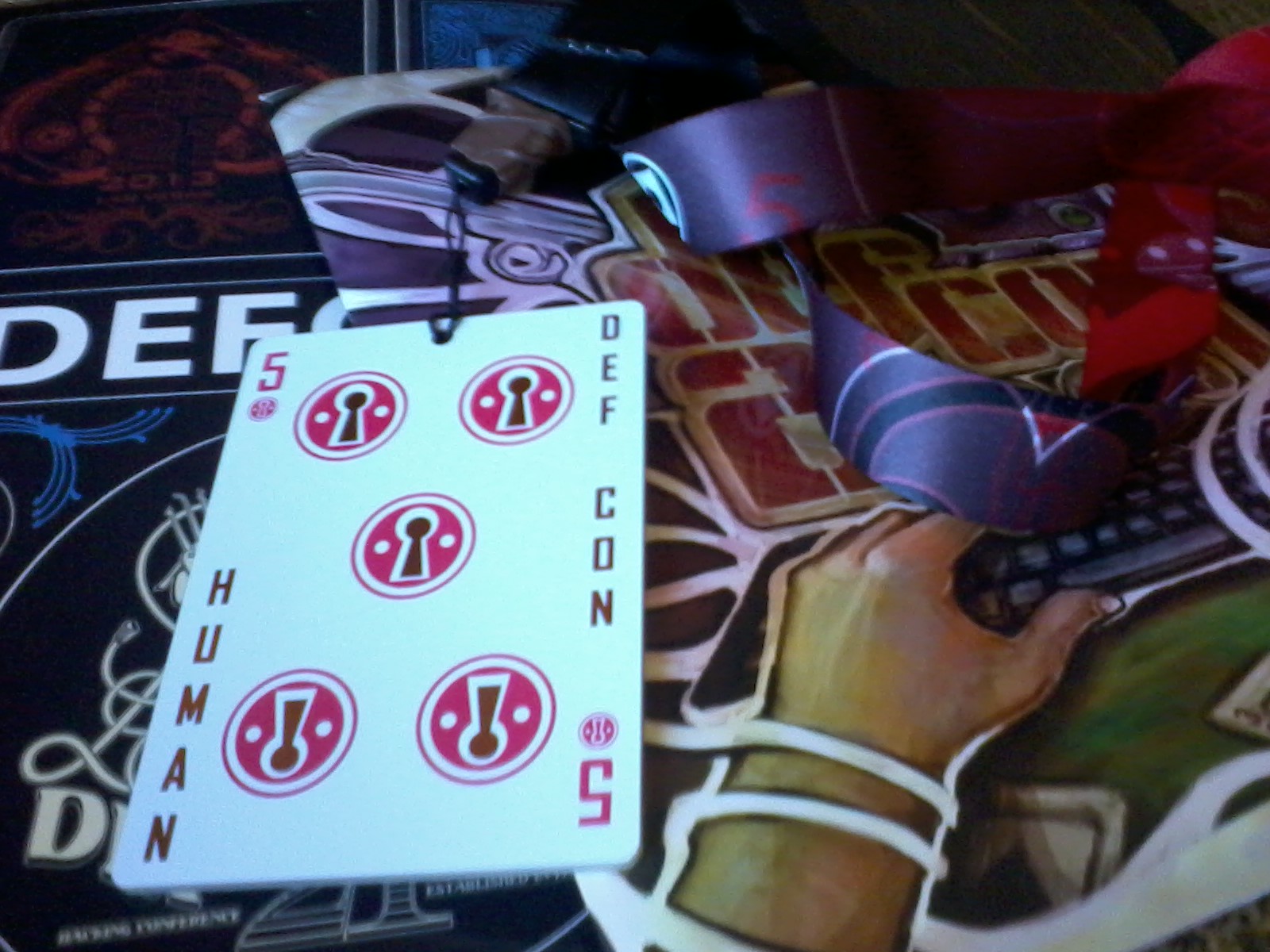
  • Defcon-21-badge+stuffDEFCON 21 was in Las Vegas, NV from August 02-04, 2013 and we were there.  Our real-time posts, references, and links are available over on @Technewsradio on Twitter.  

    We have a detailed report (PDF) from the sessions attended if you are interested.  Just drop us an email to get the full report or a request via message on Twitter.  A podcast summary is planned but not promised at this time.

    Things that we are "worried about" from an Enterprise computing perspective:

    • Social Engineering against users is like a hot knife cutting butter. Only defense seems to be training and awareness. Traditional information assurance (IA) protections: virus scanning, IDS, firewall, etc are not effective.
    • You can't secure what you don't manage.
    • Basic system administration tools and infrastructure services in the Microsoft Windows world can be used for evil: PowerShell, .NET, DNS, browsers, PKI, and SCOM.
    • USB is not your friend.
    • Mobile computing and Bring Your Own Device (BYOD) are really not your friend.
    • Cloud computing could be your friend but probably won't.
    • Developers writing code for an organization without a security focus is just asking for trouble.
    • If you think your stuff is secure just because you have it behind a lock and a key you are in denial.
    • In a year or less, penetration testing is going to include inexpensive mobile assault options via semi-autonomous very-small drones and robots.

    P.S. x 1: We were also at DEFCON 20 and have that report available if you are interested. Just drop us an email or message on Twitter for a link.

    P.S. x 2: There are also DEFCON 18 and DEFCON 19 reports.  They are surprisingly still relevant IMHO — same bat channel.

    + , , , , , ,
  • As a long time Google Reader user I am not very happy with the recent news that Google will be shutting down the service on July 1, 2013

    I just finished reading some of the latest coverage, analayis, and recommendations at:

    At this point I don't have a good solution recommendation for myself or others that like what they have currently in Google Reader.  I'll be check options out over the next month or so.  I don't have a huge sense of urgency as there is still time to make a discriminating decision.

    Things I liked about Google Reader:

    • mostly text-based outline views;
    • can view content & sync in browser, iPad, & Nexus 7;  
    • simple to add & delete feeds;
    • search through all my feeds;
    • can organize feeds in folders;
    • easy to mark folders read;
    • see only new posts;
    • star/mark posts for future reference; and
    • easy to share what I find interesting.

    If you have a good recommendation then please let me know.

    UPDATE (7/10/2013): I decided on Feedly.  It works well via the Web and on Andriod.  I've had no issues and would recommend it if you need an RSS reader.

    + , , , , ,
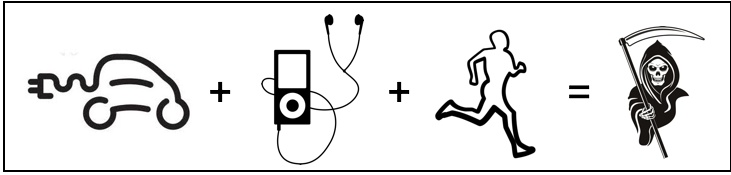
  • Ecar+ipod+running=death

    Just a friendly reminder to all my fellow runners, joggers, walkers, etc. out there exercising on the road — the all electric cars are 'super quiet' and if you are listening to audio with headphones on they are even harder to hear.

    I almost got hit by one the other morning.  Mostly my fault for not being as aware as I should.

    Stay safe and be aware!

    + , , ,
  • My friend Mark Horstman readily shares that his favorite part of John Brown's Body (Poem) by Stephen Vincent Benet is …

    If you take a flat map

    And move wooden blocks upon it strategically,

    The thing looks well, the blocks behave as they should.

    The science of war is moving live men like blocks.

    And getting the blocks into place at a fixed moment.

    But it takes time to mold your men into blocks

    And flat maps turn into country where creeks and gullies

    Hamper your wooden squares. They stick in the brush,

    They are tired and rest, they straggle after ripe blackberries,

    And you cannot lift them up in your hand and move them.

    It is all so clear in the maps, so clear in the mind,

    But the orders are slow, the men in the blocks are slow

    To move, when they start they take too long on the way –

    The General loses his stars, and the block-men die

    In unstrategic defiance of martial law

    Because still used to just being men, not block parts.

    Very powerful, thoughtful, and meaningful words that have now become one of my favorites also.

    I recently noticed that Mark (who is co-host of Manager-Tools.com) read this part of the poem in a Career Tools podcast entitled How Not To Multi-Task (Part 2).

    I took the liberty to edit a version of just the poem from the podcast.  It is going in my Monday motivational playlists and I hope you enjoy it as much as I do.

    + , , , , , , , , ,
  • I've noticed recently that since I carry my iPad around with me everywhere that I've been getting a lot more questions from people I know and meet about what type of tablet they should get.  While I follow the mobile market as close as possible, all my current experiences are with an iPad.

    I am a huge fan of the iPad for me (see previous posts), but recently I've been really curious if all the buzz around the Nexus 7 and the latest Andriod OS 4.1.2 and future 4.2 (Jelly Bean) were true.

    Related to this topic, is my ongoing evaluation of Windows 8 on a touch screen enabled HP laptop, the release of Microsoft Surface/Windows RT (no experience), and the new Apple iPad Mini (no experience).

    So, I decided to expand my experiences and look for a used Google Nexus 7.  I was able to pick one up locally here in San Diego for $150 (25% off list) so that sealed the deal.

    Google-nexus-7-blog-graphic

    So here is my first impression after opening the box.  Nice hardware — the rubber back feels great in my hands, and the smaller form factor (~7-inch) is excellent. To be honest it really brings back memories of the Apple Newton.  In fact, one of the cases I had for my Apple Newton, that I was using for my Marantz recorder, easily holds the Nexus 7, so that is my case at the moment.

    After using the device pretty much full time this past weekend, the current Andriod OS (4.1.2) is suprisingly easy to use, and I haven't found too many issues or problems I couldn't solve on the device.  It is defintiely more technical than Apple iOS, but that shouldn't cause any real issues, even for a novice.  The comments from others in the mobile analysis arena that there is now parity between this version of Andriod and iOS. I think this is a pretty accurate assessment from my short testing.

    I find the integration with Google very tight, and if you are a heavy Google user (Gmail, Docs, Reader, Maps, Play, etc) than the Nexus 7 is an excellent tablet.  The new Google Now is a very good tool that floats up information that is pretty meaningful to me (weather, calendar items, sports scores, traffic, etc).  I also think the Widgets on the home/main screen are very power for getting quick updates to key information.

    Some things that are working against me with the Nexus 7: no rear-facing camera (I use my iPad camera daily); trying to not purchase any software that I've already paid for iOS; screen seems to get dirtier than the new iPad (about has bad as the original iPad); and missing some core applications that I have on iOS (some games, native Toodledo app, iThoughtsHD, etc).

    Some useful Nexus 7 features: integrated GPS and NFS; micro USB charger; Google Wallet; integrated speaker is similar to the iPad (maybe not as loud but good enough); and software buttons on the front for back, home screen, and running applications (ie. scrolling app switcher).

    While I had some application gaps, there was a relatively high parity in standard applications that I use regularly on iOS: Amazon shopping, Bible, Camera+ alternatives, Drive, Evernote, Hulu Plus, LastPass, Dropbox, Netflix, PocketBible (alpha), RedBox, and Stitcher.  It is also good to know that there are really two main application stores: one from Google (Play) and one from Amazon (AppStore).  I recommend checking both to see if there is a possible deal between the two.

    So, am I going to keep the Nexus 7 in my toolkit? I think so, but it might not be my main tablet. I'm going to keep using it as my main tablet for the next week or so and then re-evaluate my options.  

    That would also include trying out the iPad Mini.  And I think another option is one tablet for home (aka the iPad) and one for being out-and-about (the Nexus).

    + , , , , ,
  • I was able to successfully upgrade to Apple iOS 6 (Apple's What's New Page) on my iPad without any issues.  Here are the "new" things I enabled:

    • Siri
    • No Not Disturb: 9 pm to 6 am
    • Limit Ad Tracking
    • Reviewed all my Privacy Settings
    • Clock (setup a bunch of cities)

    I also had no problems updating Conrad's iPad 2.  Conrad is very happy with the new iOS 6, but when I asked him what specifically made him happy he wasn't able to pin any one thing down. 😉

    I am kinda bummed that Passbook isn't for the iPad yet. And the Panorama feature for the Camera that is in the iPhone/iPod isn't available on the iPad.

    I also agree that Maps are in the need of work.  Here is a picture of downtown San Diego where the Star of India is at: just an outline of the Star of India (ghost ship?) and there is a monster of some sort coming out of the water at the pier to the north of where the Start of India is at.

    UPDATE (3/23/2012): I was also able to update Christy's iPhone without any problems. 

    + , , , , , ,
  • I am reading through the following articles before doing the Apple iPad iOS 6:

    Are there other recommended reads?  Anyone have any issues?

    + , , ,
  • Kill-Decision-Book-ImageOne of the books I read this summer (well actually listened to via Audible.com) was "Kill Decison" by Daniel Suarez. It is a modern day technology thriller with the primary story focused on autonomous drones and where we are likely to end up with them in the future.  I highly recommend this book (as well as his first two books: Daemon and FreedomTM)

    Mr. Suarez (@itsDanielSuarez) has been interviewed lately on a couple of podcasts that might be of interest:

    I have also noticed since reading the book Kill Decision, that information that is "fiction" in the book is more "real world" than I expected:

    + , , , , , ,
  • NOTE: As of October 16, 2012 the official Twitter API turned off RSS options per this article.  What I wrote here doesn't work anymore.

    I personally like keeping track of some Twitter accounts (especially security related ones) using Google Reader.  Unfortunately, I've found lately though that Twitter keeps messing with RSS urls, and getting subscribed without errors can be hit and miss.

    Here is my understanding of the current format as of this posting …

    If you have a Twitter account like @johnswayer that you want to follow in Google Reader.  Then take the following main URL (twitter.com/statuses/user_timeline/) and add <twittername>+.rss — for example:

    "https://twitter.com/statuses/user_timeline/&quot; + "johnhsawyer.rss"

    Becomes:

     "https://twitter.com/statuses/user_timeline/johnhsawyer.rss&quot;

    And use that for the subscribe url.  I usually use a text editor to this (Notepad+ on Windows or TextWrangler on Mac).

    Did I get this right? Did Twitter change this already? Is there a better way?  Leave a comment or send me email and I'll update this post.


    + , , , , , , ,